Video decoding
AV1, H.264/AVC, H.265/HEVC, VP8/VP9, VC-1, ProRes, APV, DV, MPEG-1/2 and MPEG-4 ASP, including compatible 10-bit content. x264 and x265 are encoders that produce H.264 and HEVC streams.
Desktop software • Multimedia components
A Windows 11-focused branch of the Media Player Codec Pack family for PCs that need DirectShow playback support for common video and audio files, including MP4, MKV, AV1, HEVC, H.264, XviD, FLAC, AC3 and AAC.
Check the full OS build with Win + R, then winver. Windows 11 24H2 (build 26100) changed the standard AC-3/Dolby Digital provision. HEVC also depends on the installed extension, player and graphics decoder path. Compare Windows 11 builds, tested results and codec support.
Version 4.0.1 includes the patched MPC Home Cinema 2.8.3 player, LAV 0.83 and CW audio filters, plus revised settings and optional hardware sharing. The survey checkbox starts selected; preview the information or uncheck it before Finish. Hardware survey details.
Overview
The package focuses on the playback components Windows desktop users most often miss: video decoders, audio decoders, splitters, subtitle handling, and practical configuration tools. Select a quick installation path or inspect individual components during setup.
AV1, H.264/AVC, H.265/HEVC, VP8/VP9, VC-1, ProRes, APV, DV, MPEG-1/2 and MPEG-4 ASP, including compatible 10-bit content. x264 and x265 are encoders that produce H.264 and HEVC streams.
DSD/SACD, high-resolution PCM and DXD, HDCD, FLAC, ALAC, WavPack, APE, OptimFROG, AAC, MP3, Opus and cinema audio, plus tracker music through CW-MOD.
MKV, MP4, AVI, WebM, MOV, transport streams, MXF, Ogg video, RealMedia and other containers, alongside compatible DVD and Blu-ray file structures.
Includes settings tools, update checking, file association guidance, and quick access utilities for installed components.
Format coverage
The lists below group the formats people most often confuse: compression families, containers, audio tracks, subtitles and playlists. A file extension alone does not always reveal the codec inside. These examples describe playback through the included MPC Home Cinema and applicable installed filters.
Playback depends on the selected components, player, driver and encoding. CW-Lossless provides specialist lossless/DSD playback; CW-Lossy handles MP3, AAC and Opus; CW-MOD handles tracker music. Native DSD and DoP require a compatible device and output path: S/PDIF normally cannot carry native DSD, and the WASAPI DoP route requires compatible hardware. DXD is high-rate PCM, commonly stored in WAV; a .dxd extension alone does not identify playable audio. Disc structures do not imply support for commercial disc decryption or menus. Playlists reference other media, so their entries must also be accessible and supported; playlist association options are unselected by default. Modern Windows apps may use a separate Media Foundation playback path.
Popular format help
Use these routes when you know the file type or symptom but are not sure whether the problem is video, audio, the container, or Windows Media Player.
MP4 and MKV problems are often caused by a missing video decoder, audio decoder, or container splitter. The package focuses on common combinations such as MP4 with H.264/AAC and MKV with H.264, HEVC, AC3, DTS, or subtitles.
Review video codec supportA video may open normally but stay silent when the audio track uses a format the current player cannot decode. AC3, AAC, DTS, FLAC and similar tracks are covered on the audio codec help page.
Review audio codec supportModern MP4, MKV, and WebM files may use AV1, H.264/AVC, or H.265/HEVC, while older AVI files frequently depend on XviD or DivX. These are useful terms to check when a player reports a missing codec.
Fix unsupported formatsCodec packs are most useful for Windows Media Player, Media Player Classic - Home Cinema, and other DirectShow-compatible desktop players that can use installed system components.
Windows Media Player codecsProduct family
The main Media Player Codec Pack site presents the broader Windows family, including Standard, Plus, and Lite edition choices for different users. This page keeps the message tighter for Windows 11 users who want a direct desktop codec package.
View Media Player Codec PackCodec help
Focused pages for the most useful search paths: audio codec issues, broad video codec support, Windows Media Player codecs, and unsupported format errors.
Playback fixes
Most playback failures fall into a small number of practical categories. Start with the symptom, then check the file type and the codec information reported by your media player.
When Windows reports that a file format is unsupported, a missing decoder, splitter, or container handler is often the cause. The Windows 11 branch focuses on common playback gaps for MP4, MKV, AV1, HEVC, H.264, XviD, AVI, and related files.
Audio-only problems are commonly linked to AC3, DTS, AAC, FLAC, or other audio tracks that the current player cannot decode. The package includes audio decoding components intended for DirectShow-compatible desktop players.
Newer or higher-resolution media can depend on HEVC/H.265, H.264, subtitle filters, and container splitters. The installer gives users a structured way to add the required playback components on Windows 11 PCs.
Included package
Installer preview
Review the installation flow before running the setup executable.
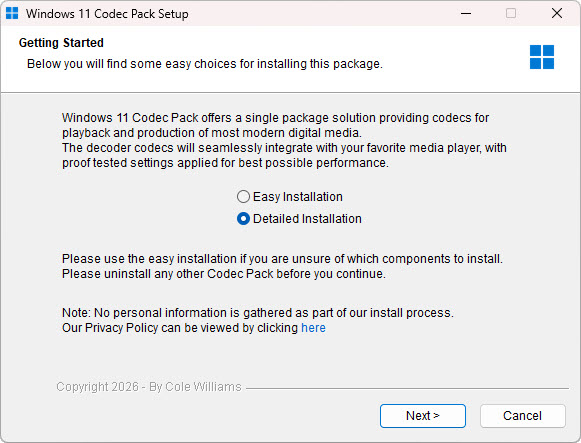 Windows 11 Codec Pack installer welcome screen
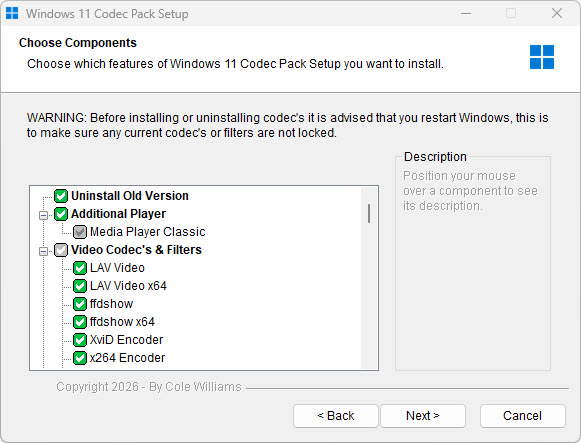 Windows 11 Codec Pack component selection
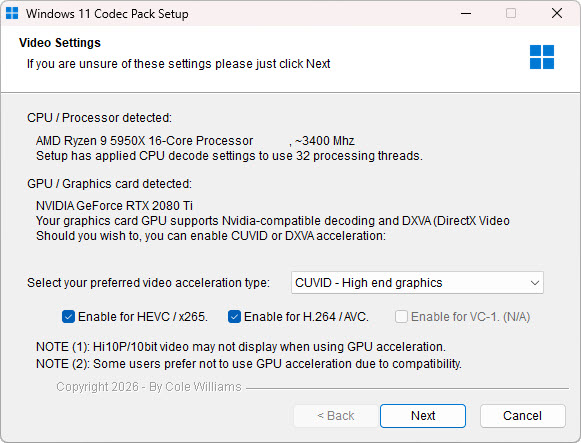 Windows 11 Codec Pack video codec settings
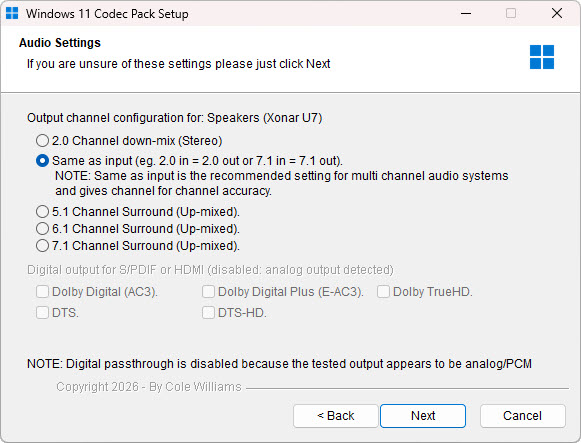 Windows 11 Codec Pack audio codec settings
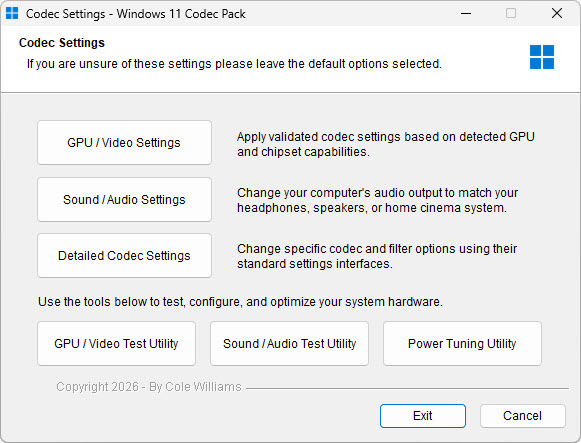 Windows 11 Codec Pack codec settings
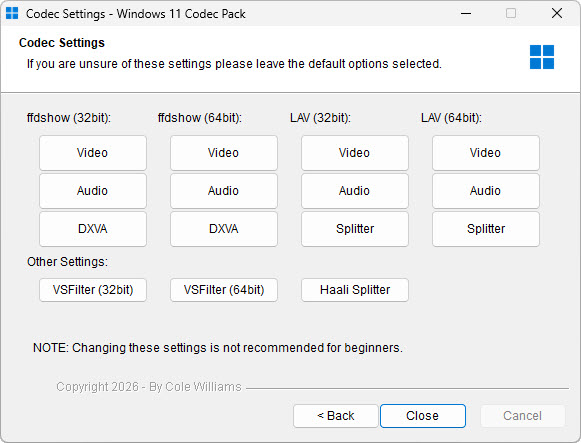 Windows 11 Codec Pack splitter settings
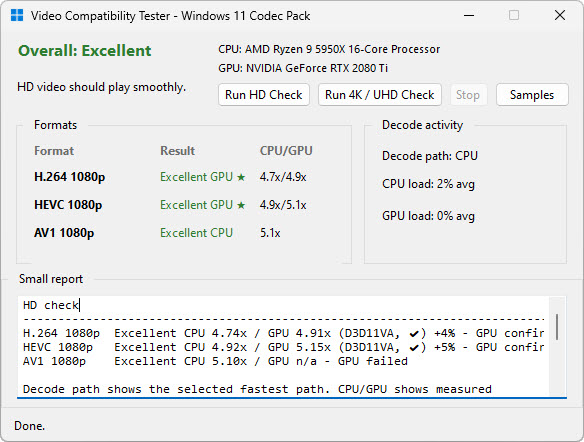 Windows 11 Codec Pack system capability detection
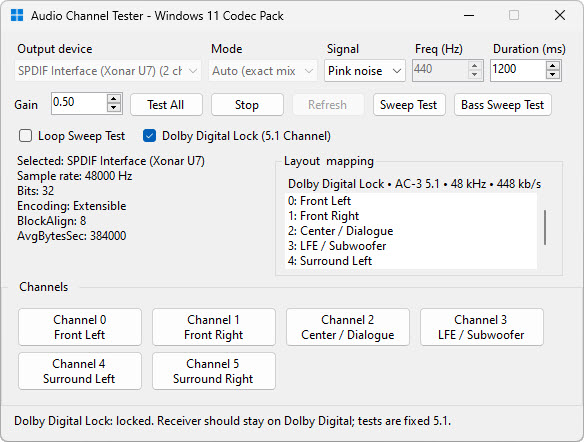 Windows 11 Codec Pack audio channel settings
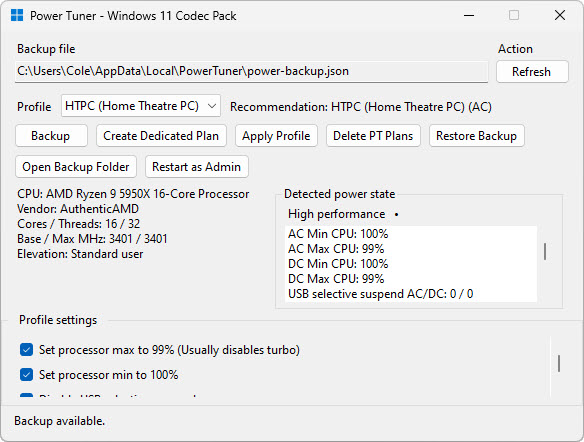 Windows 11 Codec Pack power user settings
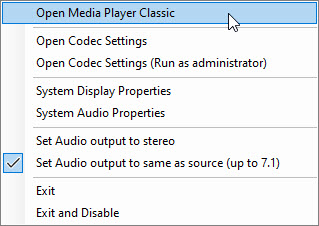 Windows 11 Codec Pack tray menu
FAQ
Answers to the format, compatibility, and installation questions people commonly search before downloading a codec pack.
Windows 11 Codec Pack is a free multimedia codec package for Windows PCs. It installs codecs, DirectShow filters, splitters, and utilities for video and audio playback.
This site is the Windows 11-focused branch of the broader Media Player Codec Pack family. The main Media Player Codec Pack site covers multiple Windows versions and edition choices, while this page keeps the message focused on Windows 11 playback needs.
The included MPC Home Cinema and installed filters cover MKV, MP4, AVI, WebM, MOV, MXF, transport streams and other containers, with codecs including AV1, H.264/AVC, H.265/HEVC, VP9, VC-1, ProRes, APV, DV and MPEG video. Hardware acceleration depends on the GPU, driver, decoding method and stream profile; software decoding remains available for supported streams.
Yes. The package includes components for MP4 playback, XviD video, H.264/AVC video, H.265/HEVC video, and other commonly searched Windows 11 codec formats.
In many common cases, yes. Unsupported format messages such as 0xc00d36c4 can appear when Windows or a desktop media player cannot find the required codec, splitter, or container support for the file.
It can help when the missing piece is an audio codec or DirectShow filter for tracks such as AAC, AC3, DTS, FLAC, or similar formats used inside video files.
The installed components are intended for the included MPC Home Cinema and other DirectShow-compatible desktop players, including compatible Windows Media Player Legacy playback paths. The modern Windows Media Player app can use Media Foundation and separate Store extensions.
VLC includes many codecs internally, so many files may already play in VLC. A codec pack is most useful when you want broader playback support across Windows, Windows Media Player, Media Player Classic - Home Cinema, and other DirectShow-compatible software.
It can help when the issue is a missing DirectShow decoder, splitter, or audio component used by the MP4 or MKV file. Some DRM-protected, corrupted, or unusually encoded files may still require a different player or repair workflow.
The package includes audio decoding components intended to help DirectShow-compatible players handle AC3 and other common audio tracks such as AAC, DTS and FLAC.
Yes. The installer provides an easy setup path as well as a detailed mode for reviewing and selecting individual codec components and utilities.
Yes. Windows 11 Codec Pack is offered as a free download from the official website.
The current Windows 11 Codec Pack release listed on this page is version 4.0.1, released on 25 October 2026.
No. A codec pack can help when the missing piece is a decoder, splitter, subtitle filter, or related DirectShow component. DRM-protected, damaged, partially downloaded, or unusually encoded files may still require a different player, conversion, or file repair workflow.
Official download
Free 58.6 MB installer, released 25 October 2026, for compatible Windows desktop systems and Windows Server 2025, 2022 and 2019 environments where desktop media playback components are required.
Publisher / Digital signature: Cole Williams Software Limited. SHA256: 223172e38376f920e28db7b010227c66b050843ebbc81d312f8ecfc134152a55. Verify the installer via Properties → Digital Signatures.