Quick answer: choose the HEVC route that matches your player
HEVC, also called H.265, is variable on Windows 11. There is not one universal fix because Microsoft media apps, DirectShow desktop players, and browser playback can use different playback routes.
| What you want | Best route | Why |
|---|---|---|
| HEVC in Microsoft media apps | Microsoft HEVC Video Extensions | Adds HEVC support to the Windows media framework where available for the device and account. |
| Desktop playback without relying on Store entitlement | Windows 11 Codec Pack + included Media Player Classic Home Cinema | Gives a separate desktop playback route for HEVC/H.265 files. |
| One-off HEVC playback without installing software | HEVC.now web player | Useful when you only need to open an occasional HEVC file in the browser. |
Store availability note
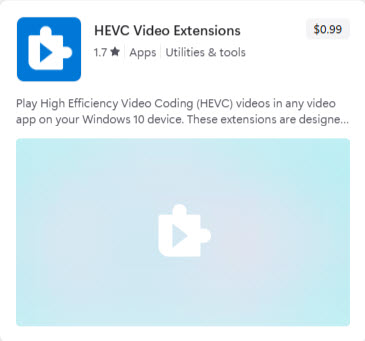
Microsoft Store listings can vary. One user may see HEVC Video Extensions as paid, another may see it as already owned, free, unavailable, or included through a device entitlement. The result can depend on the Windows build, OEM preload state, region, Microsoft account, previous entitlement, and Store/account sync state.
Microsoft HEVC Video Extensions
Use this route when the goal is HEVC playback inside Windows' own media framework and Microsoft media apps. Check the listing on the actual Windows device that needs playback because price and availability are account-specific.
Windows 11 Codec Pack route
Windows 11 Codec Pack is useful for HEVC playback when the file is opened through the included Media Player Classic Home Cinema or another compatible desktop player. It should not be described as a guaranteed replacement for Microsoft's HEVC extension inside every Windows app.
HEVC.now route
If a user only needs occasional HEVC playback, sending them to HEVC.now is often the lowest-friction option because it avoids installing a codec pack or buying a Store extension for a one-off file.
HEVC FAQ
Is HEVC the same as H.265?
Yes. HEVC stands for High Efficiency Video Coding and is also known as H.265.
Will Windows 11 Codec Pack make HEVC work in every Windows app?
Not necessarily. It is best treated as a desktop playback route through the included Media Player Classic Home Cinema or compatible players. Microsoft Store apps may use a separate framework.
Why do some users see the HEVC extension as free and others see a price?
Store pricing and availability can vary by Windows build, device entitlement, Microsoft account, region, and whether the extension was previously acquired.